

How to use BrainSprout
A simple guide to setting BrainSprout up, playing it so your child stays interested, and keeping their results accurate — including the one switch to tap before a grown-up plays.
Before you start
Set BrainSprout up once, on the child's device, so play is calm and — just as important — so it actually saves.
- Use one dedicated device. A laptop or tablet the child links with BrainSprout. Remove or hide other apps like YouTube so there is nothing to wander off to.
- Open the right app. India: play.geniuslane.com. UK: play-uk.geniuslane.com. A child only exists in their own region's app.
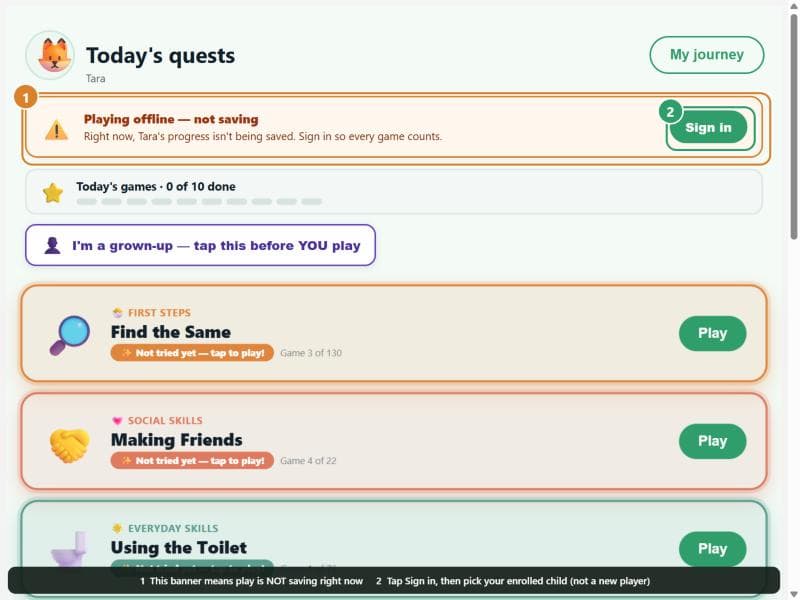
- Sign in as the parent, then pick the enrolled child. Tap the child already in the list — do not type in a “new player”. Only a signed-in, enrolled child's play is saved; otherwise the app plays offline and records nothing.
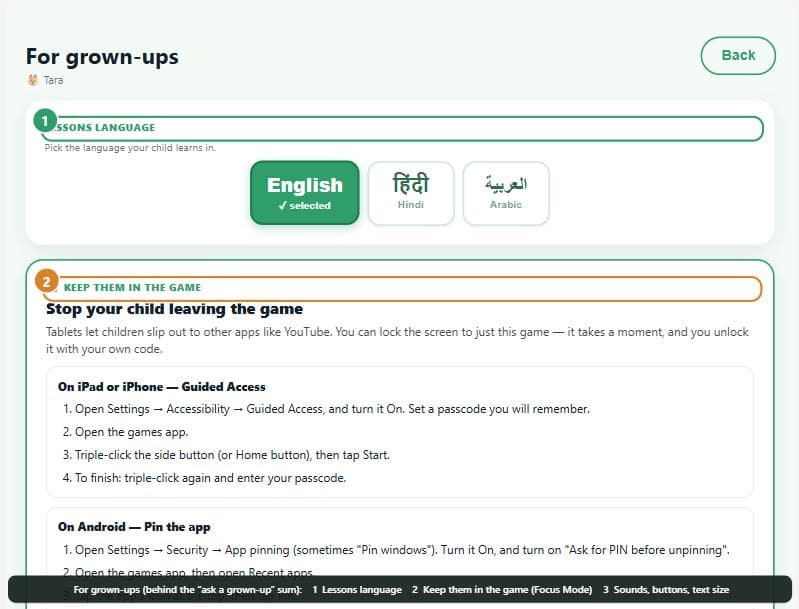
- Turn on Focus Mode. Lock the screen to just BrainSprout so the child cannot leave mid-game — Guided Access on iPad/iPhone, App Pinning on Android. The app shows the exact steps under For grown-ups → Keep them in the game, and offers it the first time you open it.
A BrainSprout session, step by step
Keep it short, warm and daily — ten happy minutes beat a long, tired sitting.
- You play first, and show you love it. Before you start, tap “I'm a grown-up — tap this before YOU play”, play a game, smile, react. Your delight is what makes the child want a turn.
- Hand over — but tap the grown-up switch off first. This one step keeps your play out of your child's results (see the next section).
- The child plays their games. BrainSprout shows the day's games, one per area (reading, maths, visual-spatial, thinking, everyday skills). They do not need all of them every day.
- Sprout guides them. The green sprout greets the child by name and suggests what to play; the child can tap to talk to it by voice.
- Finish on a win. Stop while it is still fun, so they want to come back tomorrow.
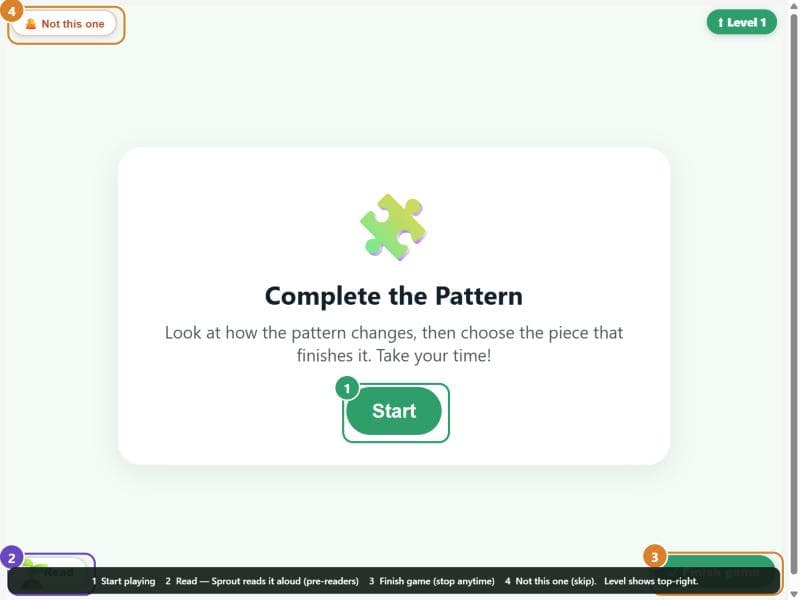
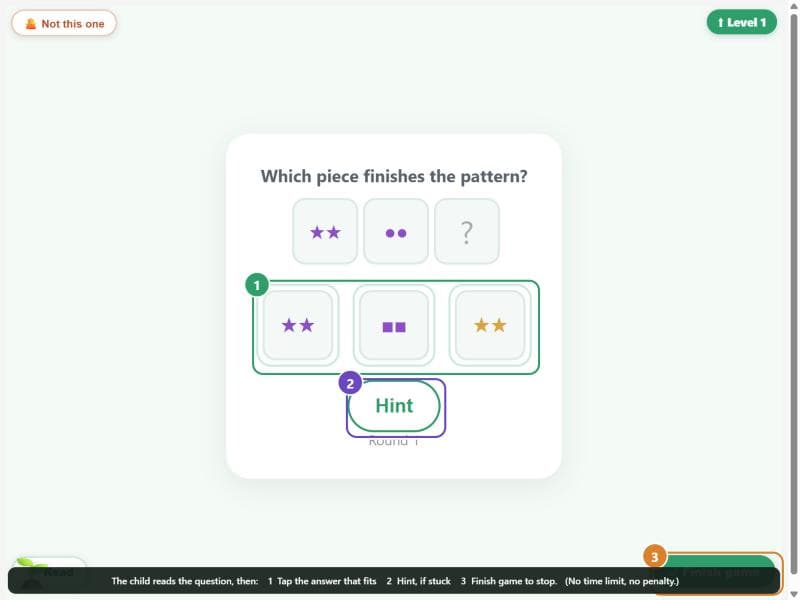
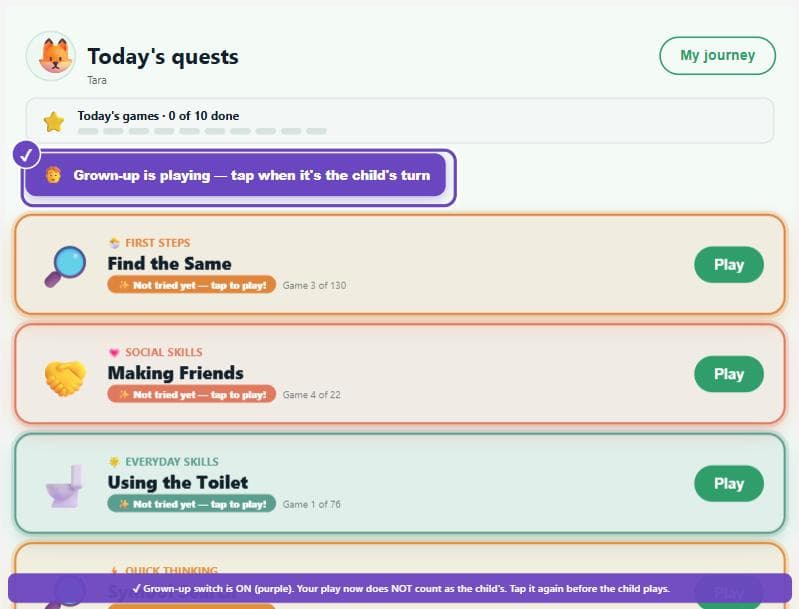
Grown-ups: play without affecting your child's results
Tap “I'm a grown-up” before you play, and tap it off before your child does. BrainSprout measures your child's development from how they play. If you play — even just to show them, or to warm them up — while the switch is off, your adult answers are recorded as your child's. Over a few sessions that can wrongly push one or two areas far above the child's real level, and it then shows on their clinical report.
- Before you play: tap the switch (it turns purple). Now nothing you do counts as the child.
- Before your child plays: tap it off again. Now their play is measured normally.
- If in doubt, don't play the games for them. Show interest, cheer them on, sit beside them — that never affects their score.
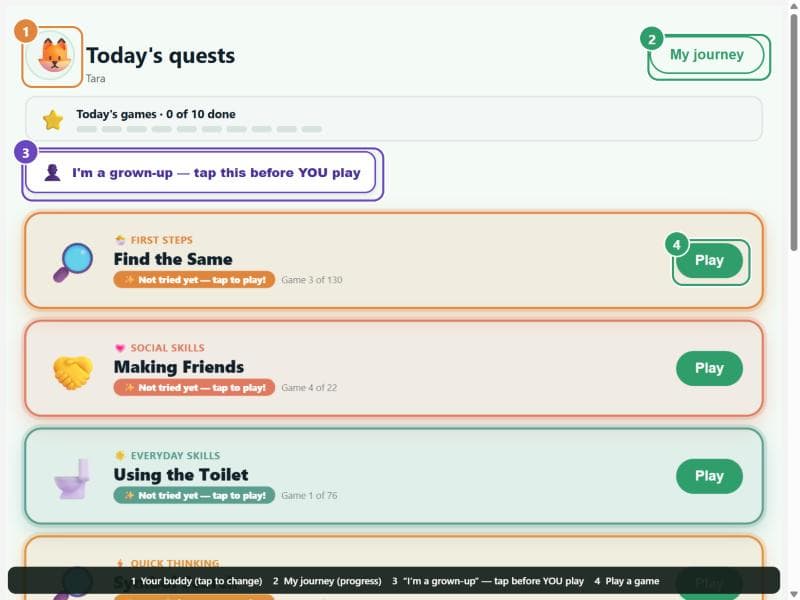
Where everything is
Everything a child touches is big and obvious; everything a grown-up needs is tucked behind a quick gate.
What the results mean
Results show your child's own play — nothing else — and they build up as the child plays. Each area is a developmental age, next to what is typical for the child's age: a picture of where they are now, to guide what to practise — not a pass or fail. Real change is gradual, so a big jump in one area over a few days usually means a grown-up played. Your geniuslane team reads the full report with you.
If something looks wrong
- “Playing offline — not saving” banner. The app can't record this child's play — sign in as the parent and tap the enrolled child (not a typed-in new player).
- The summary stays empty after playing. The play didn't reach the server (offline), or it was grown-up play — check the banner and that you picked the right child.
- One area jumped far ahead of the rest. A grown-up likely played with the switch off — tell your geniuslane team so they can correct the record.
- The child isn't in the list. You may be on the wrong region's app — India uses play.geniuslane.com, UK uses play-uk.geniuslane.com.
Questions about your child's BrainSprout, or want a hand setting it up? Book an appointment and your geniuslane team will walk you through it.