

Your child's plan — and the help to act on it — in your pocket
The profile, the recommendations, the appointments and the guidance, carried into the place development actually happens: home, between appointments.
MyGeniusLane Family is on Google Play in India and the UK, and on the App Store for iPhone in India. Your clinician sets your family up as part of your child's programme, so your child's plan is already there when you open it and sign in with your centre's email.
See the app
The same screens your family uses, set up by your clinician. Shown here with sample information.
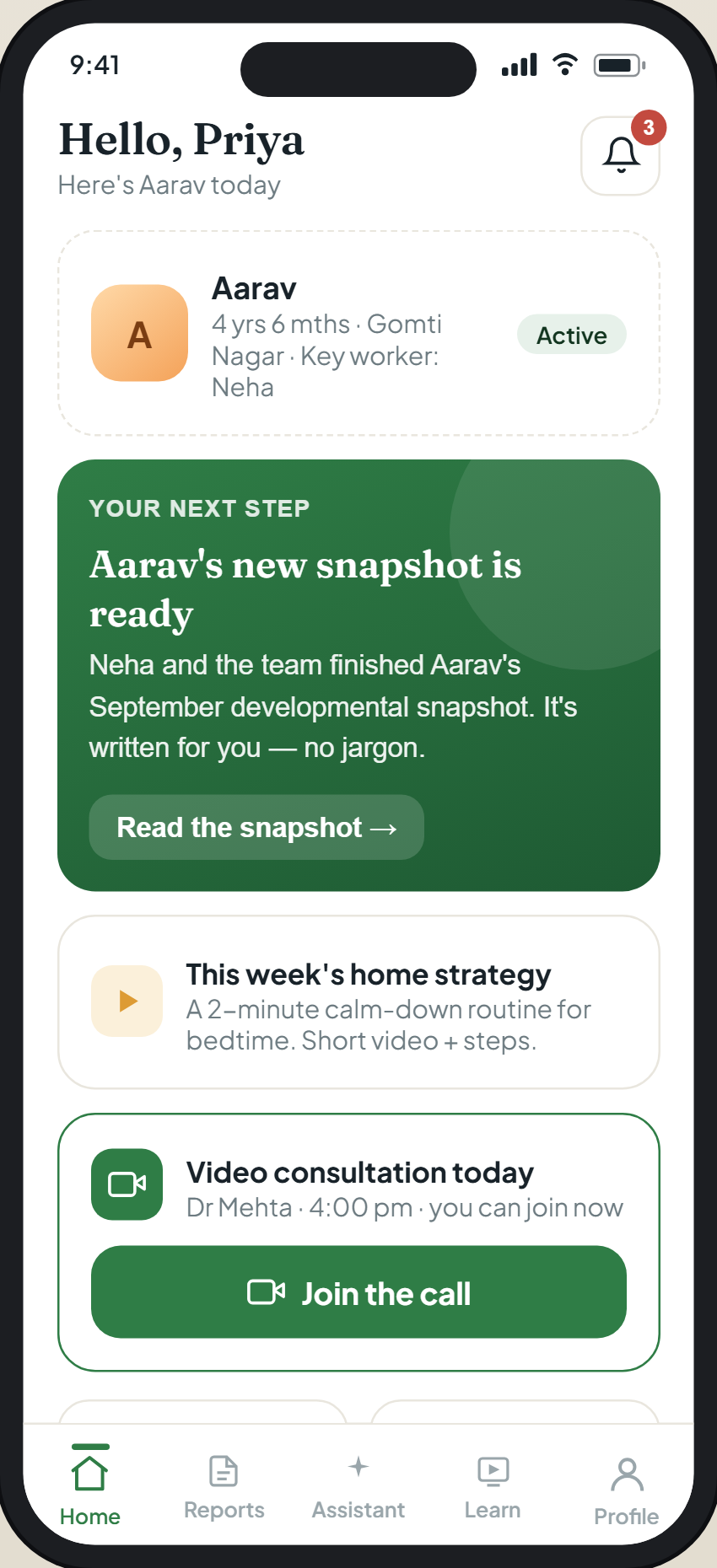
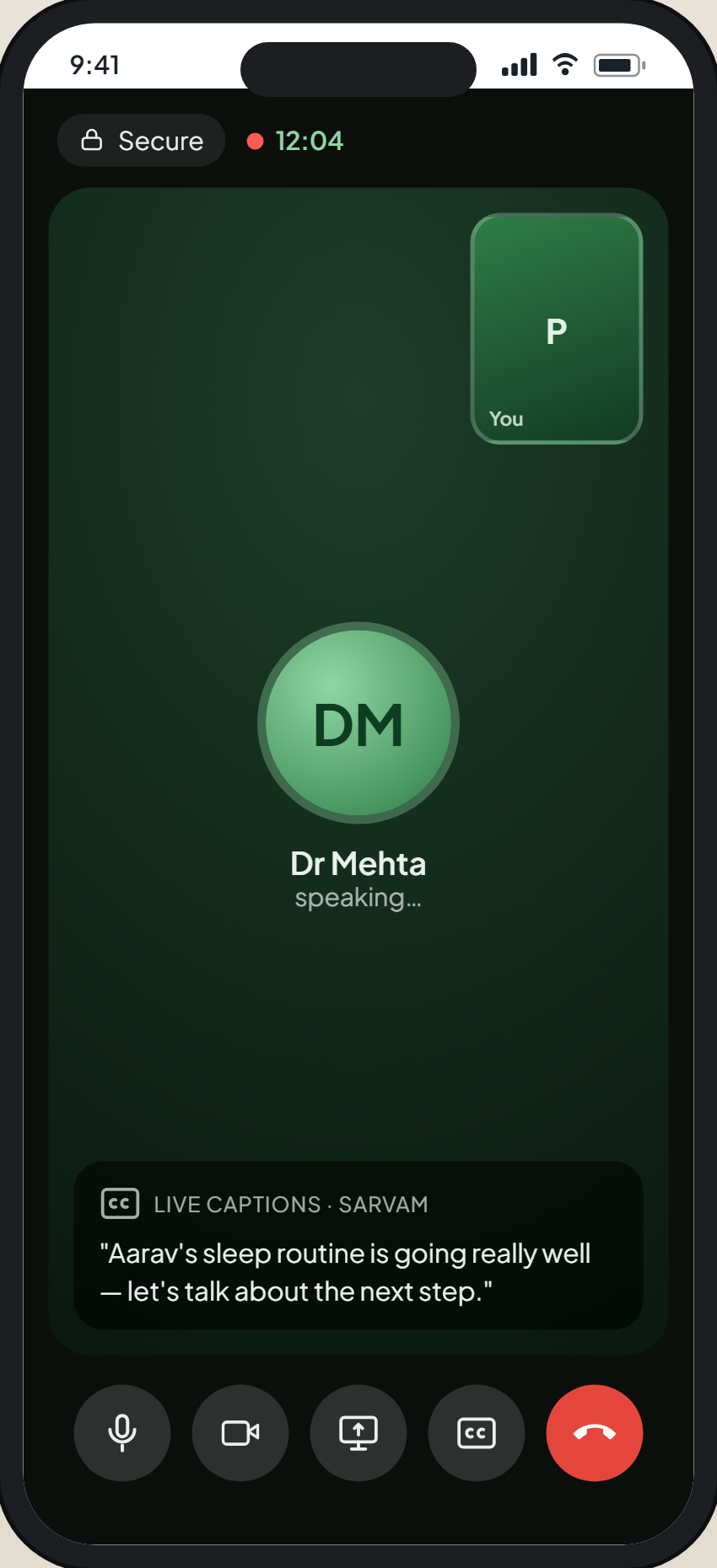
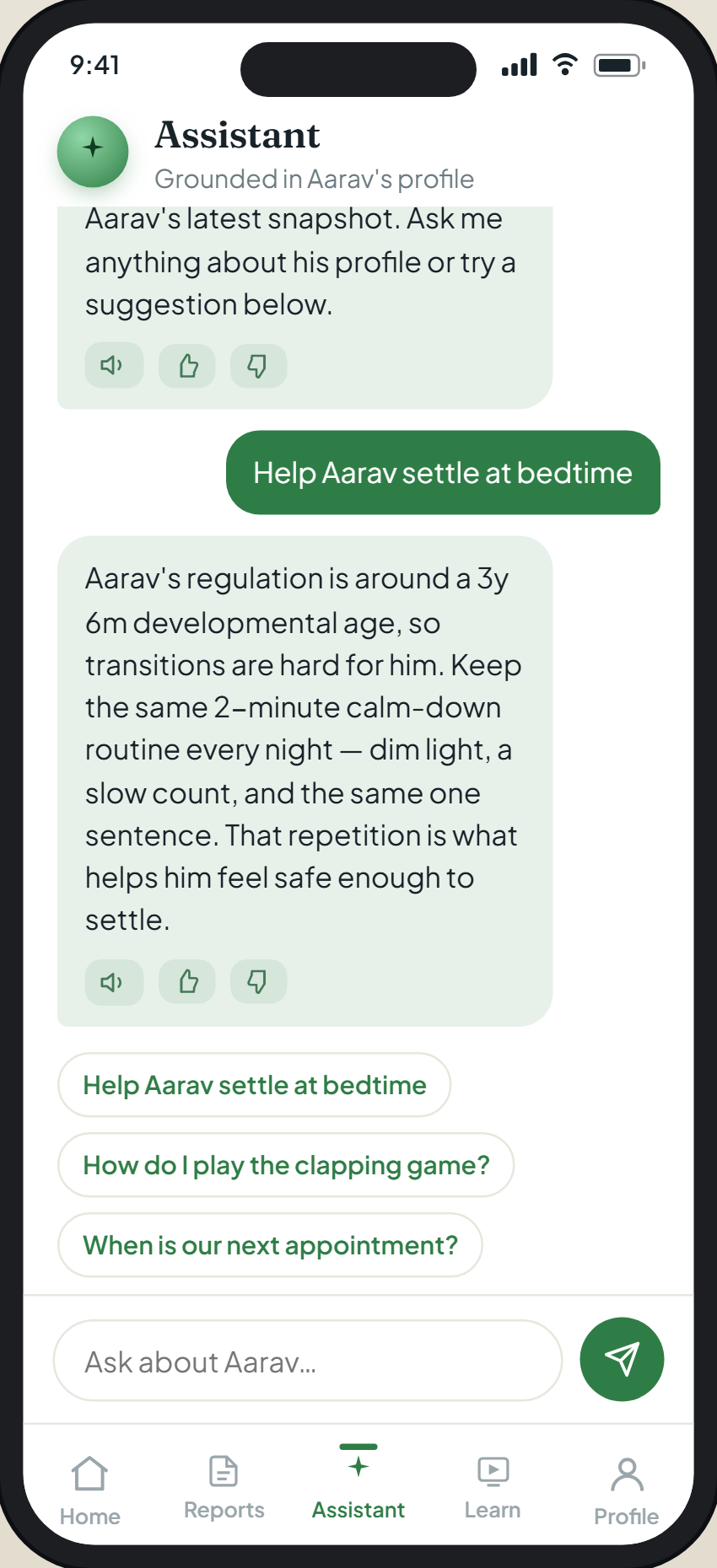
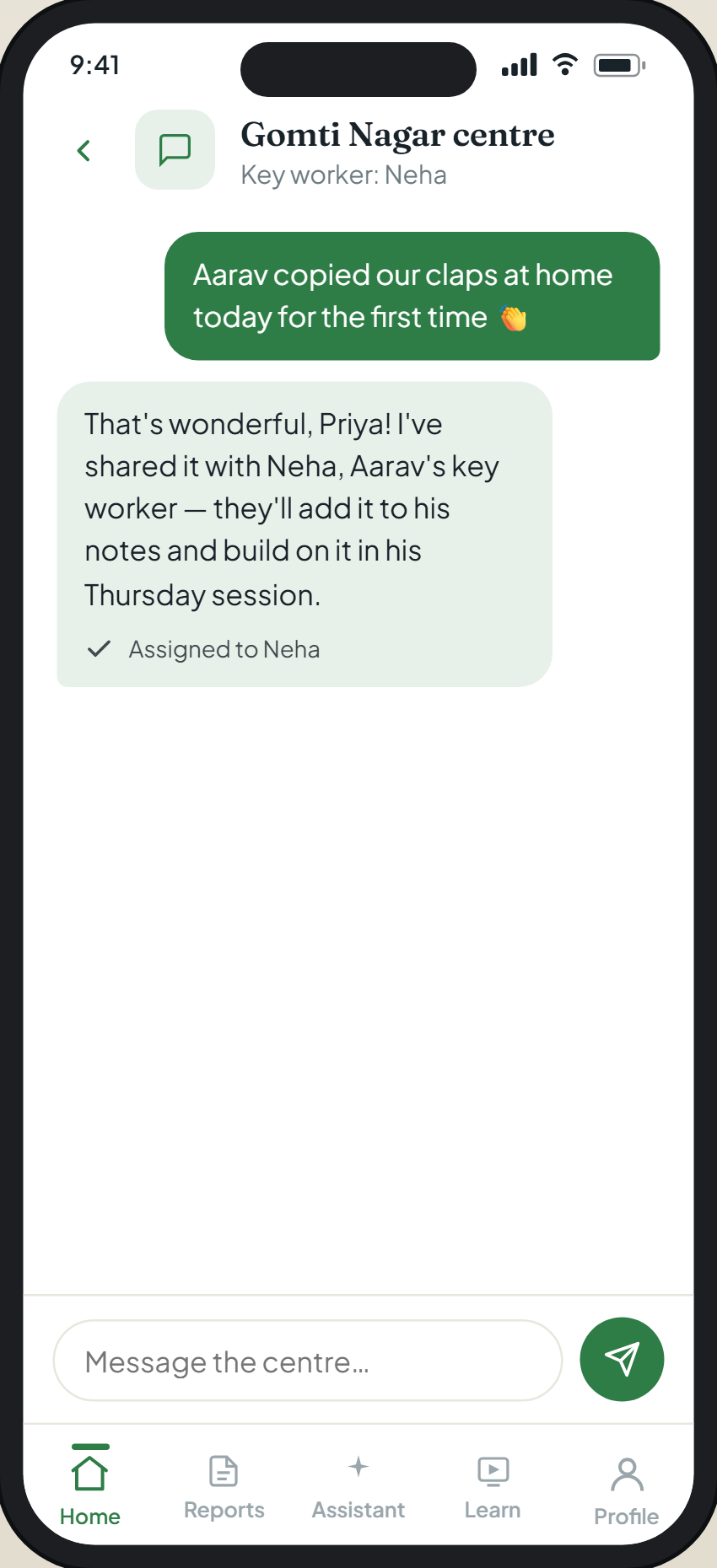
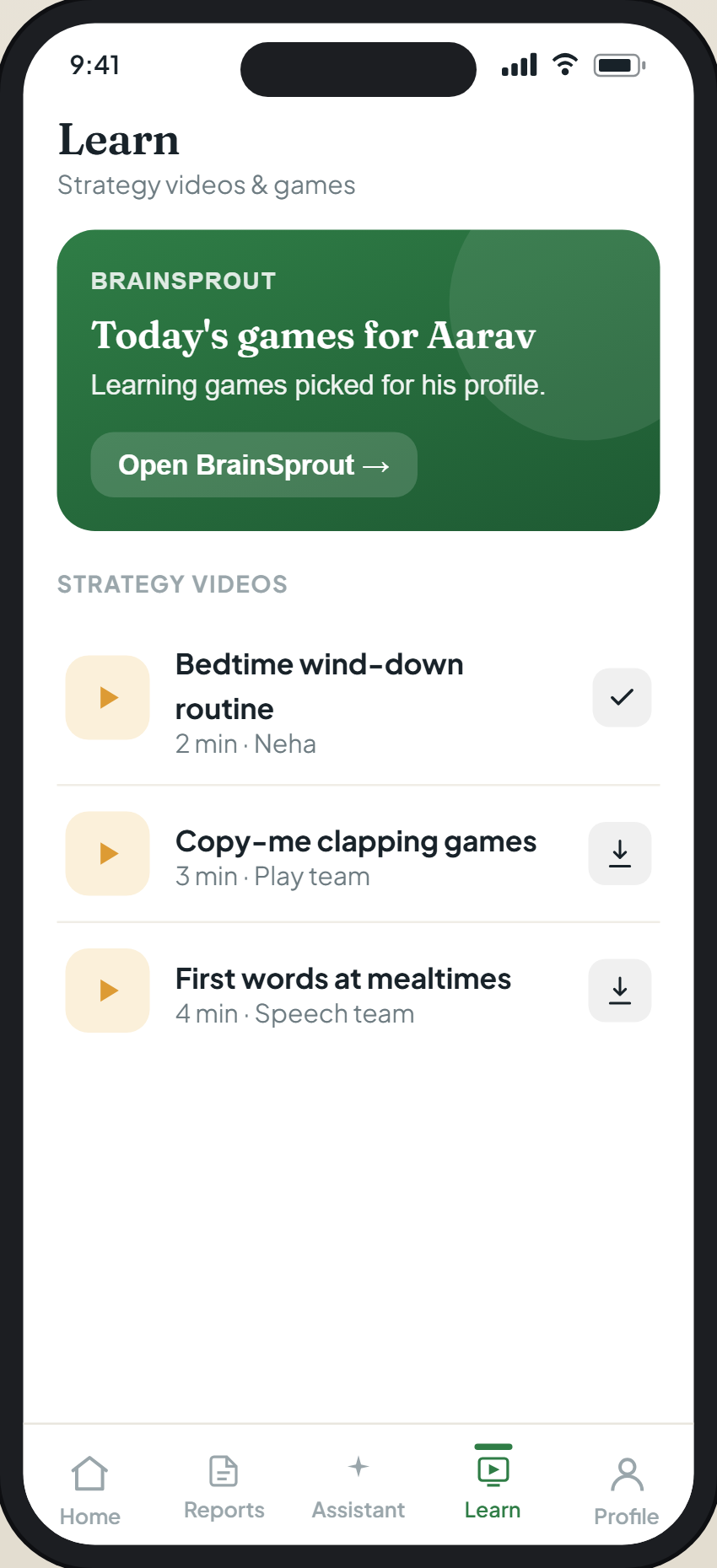
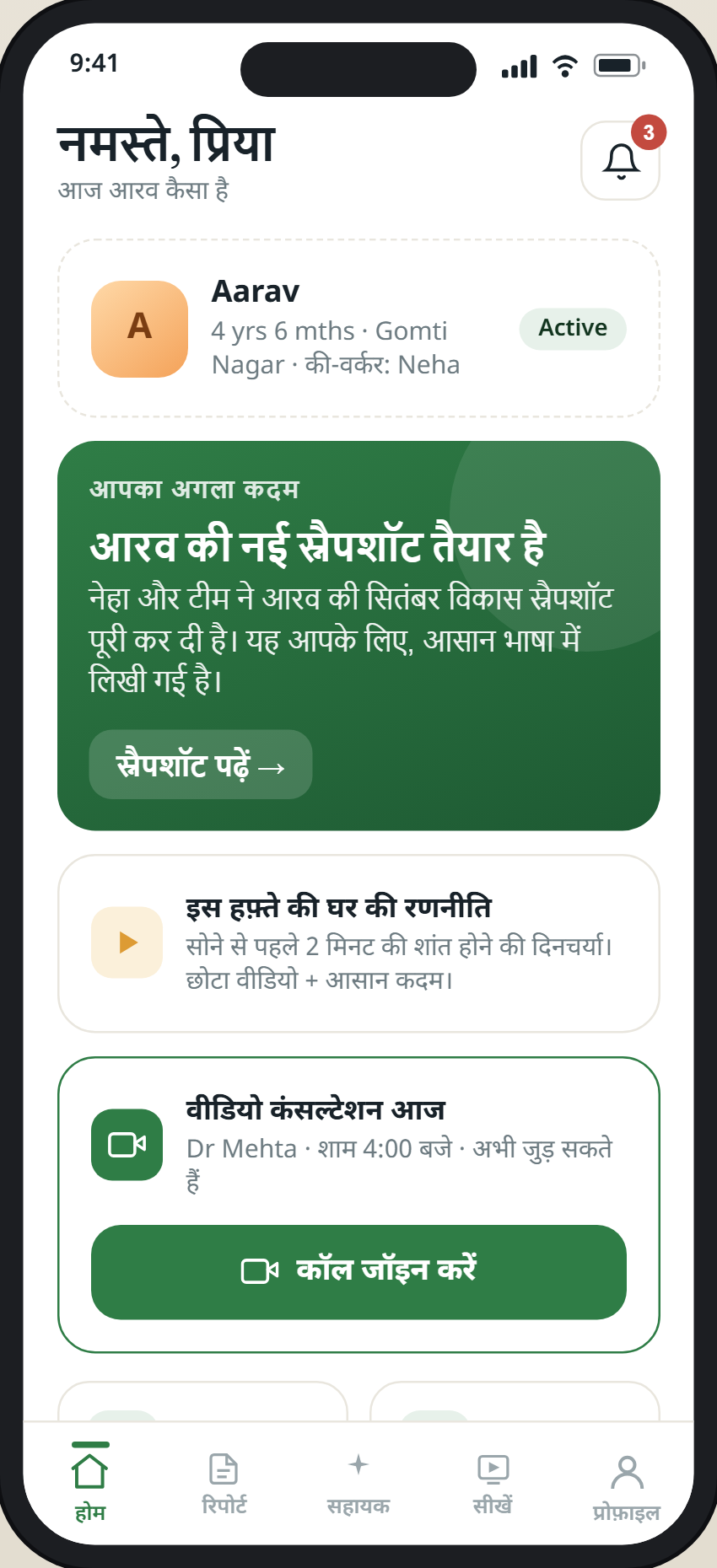
Screens shown with sample information, not a real child’s data.
Get the app and set up your account
Your clinician sets your family up as part of your child’s programme, so the plan and profile are already there when you open it. Getting in takes a couple of minutes — and there is no password to remember.
That opens a scannable install code for your region, so you get the right app for your centre.
1 · Download and open
Install MyGeniusLane Family for your region from Google Play, or from the App Store on an iPhone in India, and open it.
2 · Sign in with your centre’s email
Enter the email your centre has for you and tap Send me a code. A 6-digit code arrives by email — type it in and you’re in, on any phone. No password to set or forget.
3 · Your child is already there
The plan, reports, activities and appointments your clinician set up are waiting — nothing else to configure.
New to geniuslane? The full step-by-step is on getting started. Can’t sign in, or no code arrives? Email support@geniuslane.org and we’ll sort it.
A plan that lives with your family, not in a drawer
Children in our programmes work hard with our team — for many families that is two hours a day, six days a week. The hours in between belong to you, and that is where the work either takes hold or fades.
The app hands the plan to the people around the child, and keeps everything about their care in one place.
The plan, in plain language
Your child's recommendations, drawn from their own profile, written for you to act on at home and at school.
Their reports
Released to you when your clinician has been through them with you, and written for families rather than for other clinicians.
Understanding the diagnosis
A guided way to learn about your child's own condition — what it is, the journey, what helps at home, and what to steer clear of — in your language. It opens alongside their report.
Appointments and video calls
Book, reschedule, get reminders, and join a video consultation from inside the app.
Messages and uploads
Message the care team securely, send documents the team needs, and add your own notes in your own words.
Weekly check-ins
A short, regular prompt so the plan does not quietly lapse between reviews.
Payments
Invoices and plans, paid securely. Card details are handled by the payment provider and never stored by us.
AI that helps you act on the plan — never a clinician
Questions rarely wait for the next appointment. The app has an everyday assistant for the practical running of things — when a report will be ready, moving an appointment, what you still need to upload — and a care navigator that knows your child's plan and can explain what a recommendation means and what usually comes next.
Both are grounded in your own child — their profile, their plan, the band they are actually working at — so the help is about your child, not children in general. And both work in your language.
We have been deliberate about what they will not do. Neither assistant takes a payment, makes a clinical decision, or interprets your child's results. They are labelled on screen as what they are — AI, not a clinician — and a human confirms anything that matters. An AI that answers a parent at ten at night is useful; an AI that quietly practises medicine is not, and we built ours so it cannot.
Understands what you tell us
Describe your child in your own words and the assistant distils it into a clear picture your care team can see — so what you notice between appointments is never lost.
Help with day-to-day care
Practical answers any time of day, drawn from your child's own plan — a morning routine, what an activity is for, what to try next.
Behaviour support
Calm, specific suggestions for the hard moments, grounded in your child's profile rather than generic advice — and always clear about when something should go to your team.
Understand the diagnosis
The assistant explains your child's own diagnosis in plain language, in your language, so the words in the report make sense at home.
Activities made for how your child learns
The app carries your child's part of the plan as well as yours — the activities and videos chosen for their level, not for their age.
BrainSprout games
A learning portal for ages 4 to 16 that finds your child's level and moves with them. They are never shown a score, and what they do feeds back into their profile as evidence a clinician reviews.
Recommended videos
Short, practical videos matched to the areas the assessment identified, at the band your child is actually working at.
Everyday activities
Simple things to try at home, tied directly to the plan rather than to a diagnosis in general.
The assessment is what fills the app with your child
The app is not a separate product you sign up to. It is where your child's assessment goes to live.
1 · Book an assessment
A doctor-led clinical and developmental evaluation that establishes why your child is struggling.
2 · Get the profile and plan
Individual to your child — what they can already do, what they find hard, and what to do about it.
3 · Carry it with you
Your clinician sets your family up, and the plan, guidance, activities and appointments travel with you from then on.
Built around your child, and protective of their data
Only reports your clinician has released reach you, and nothing is diagnosed in the app. Payments are for clinical services, handled by the payment provider. The app is not for emergencies — if your child needs urgent help, contact your local emergency services.
AI supports the people looking after your child. It does not replace clinical judgement, and a clinician stands behind anything that matters.
Great support — in families' words
The help does not stop when the appointment ends. Here is what families tell us about the support between visits — shared only ever with their permission.
A family's own words will appear here — the kind of everyday win that tells us the plan is reaching home.
A family's own words will appear here — the kind of everyday win that tells us the plan is reaching home.
A family's own words will appear here — the kind of everyday win that tells us the plan is reaching home.
Have a moment that mattered — a first word, a calmer morning, a school that finally understood? We’d love to share it (only with your permission). Email support@geniuslane.org.
Questions parents ask
How do I get the app?
MyGeniusLane Family is on Google Play in India and the UK, and on the App Store for iPhone in India. Choose the one for your centre's region, open it, and sign in with the email your centre has for you. Your clinician sets your family up, so the plan and profile are already there. The iPhone version for UK centres is not out yet.
Do I need an assessment to use it?
Yes — the personalised plan, the profile and the recommended activities all come from the assessment. Without one there would be nothing in it that is about your child.
What does it cost?
The app itself is free. Clinical services — assessments, strategies, follow-up — are billed as they always have been, and you can pay them in the app if you prefer.
Is the assistant safe to ask?
It is bounded on purpose. It does not diagnose, does not decide or change treatment, does not interpret your child's results, and never takes a payment. It is labelled as AI rather than a clinician, and anything clinical has a person behind it.
Which languages?
English, Hindi and Arabic, the same three our booking supports.
A plan is only powerful if it reaches everyday life.
More on how the whole programme fits together on services, what a new diagnosis means on understanding the diagnosis, and how we use AI on geniuslane AI.